Maritime · B2B · Desktop
BM Auto-Scheduler Redesign
Reworked the system and workflow from scratch, saving users 63% in time and effort to generate an error-free schedule.
Context & Challenge
Users had been giving constant feedback that it took too long and too much effort to generate a schedule with our software. By the time a schedule was ready, it was already outdated. Worse, the system was buggy — generating outputs with incorrect values, wasting time, and forcing users back to manual planning.
Solution: We reworked the system and workflow from scratch, cutting scheduling time from 120 minutes to 40 minutes — a 63% reduction — with error-free output.
What the product does
BunkerMaestro's primary function is for bunker suppliers to optimise their bunkering jobs through a proprietary algorithm called the Automated Scheduler (AS). Its secondary function is a CRM system for managing vessels, customers, and contacts. The main audience: operation personnel.
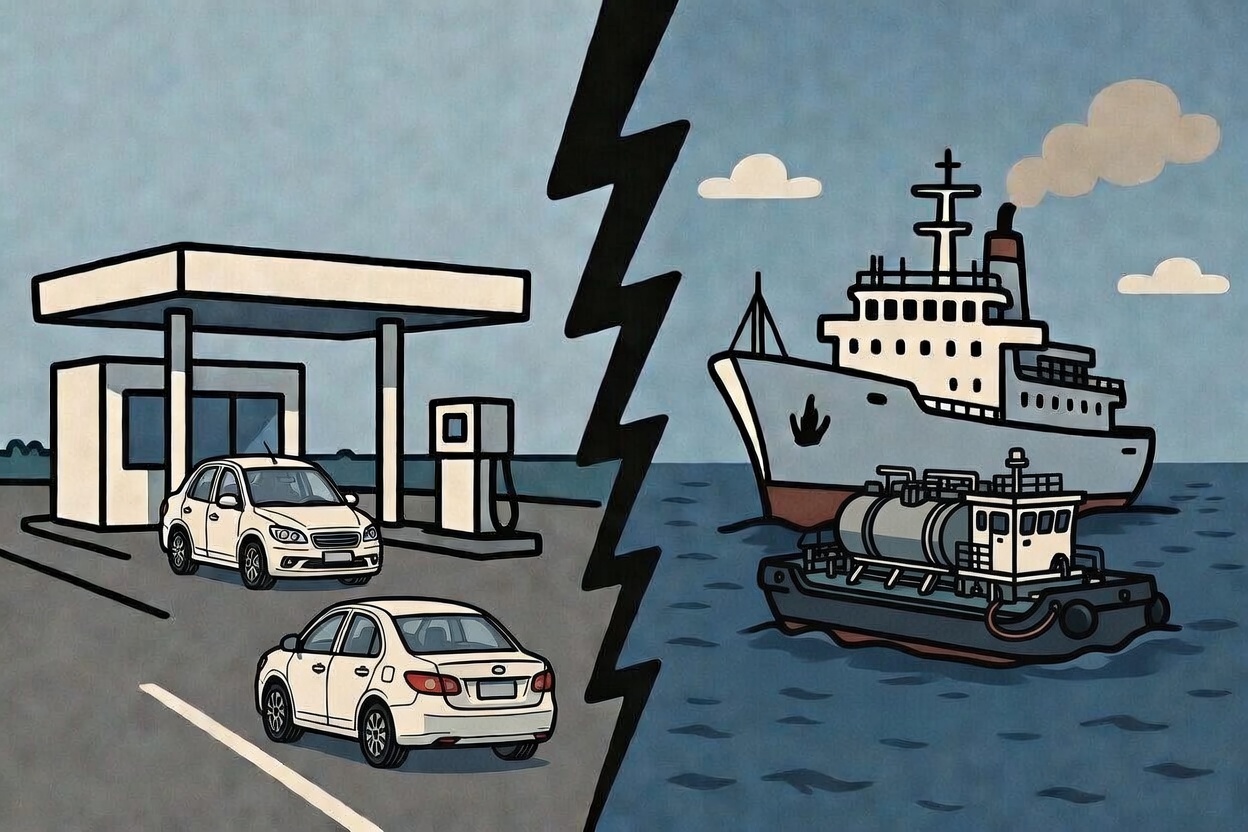
Bunker refers to fuel for vessels (ships). Think of a car visiting a petrol station — but for vessels, it's the other way round: bunker barges visit the vessels to supply them with fuel.
My Role & Impact
- Role: Led end-to-end redesign — discovery, ideation, UX design, data testing, client management
- Duration: 2 months
- Team: Monika (Full Stack Developer), Pindar (Full Stack Developer), Timothy (Data Scientist)
Key contributions
- Proposed and led the redesign of the AS workflow when bug fixes and patches couldn't resolve the issues of incorrect outputs and time-consuming data preparation.
- Worked with Timothy, the data scientist, on tweaking the AS algorithm to generate the most optimised AS output based on user criteria and actual data.
- Did intensive data testing with user's actual data after each refinement to ensure the AS would work for all scenarios.
Business Objectives
- Increase user trust in our system to retain existing clients, onboard new ones, and raise funds for expansion.
- Design outcome: Find ways to use the least time preparing data for the AS and ensure error-free output.
Challenges
Scheduling data entry is time-intensive
- Manual updates required: Users must update ETAs, add new jobs, assign barges, and input actual quantities for completed jobs.
- High effort: Takes 2+ hours to prepare data before running the AS.
- Error-prone: Double-checking current ROBs adds complexity; errors delay scheduling further.
- Poor usability: Even experienced users save only 30–40 minutes, indicating the system wasn't serving their needs well.
- User frustration: Negative feedback due to increased workload and time, reducing system value.
"Time-travel" ROB disrupts schedule accuracy
- The problem: ROB (Remaining On Board) refers to bunker remaining after a supply job. When users applied the AS output, ROB values reflected the application time, not the run time.
- Impact: This led to negative ROBs for some jobs and over-capacity for others, rendering schedules unusable.
- Eroding trust: Users were forced to manually reschedule, losing confidence in the system.
- Failed patch: An attempted fix — locking jobs based on time since schedule run — failed to cover all edge cases. Daily new edge cases triggered client complaints about inaccurate schedules.
Rethinking the System
Problem: Previous fixes were reactive — patching issues without addressing core user needs. We needed a deep dive into root causes.
User outcome: "As a planner, I want to run the AS using only current ROB values and upcoming jobs to quickly update stakeholders with the new plan."
Goal: Minimise manual data entry, reduce errors, and ensure accurate, timely schedules.
Approach
We broke this project into small workable chunks to test a core hypothesis based on the challenges above, starting from the point of entry to getting an AS output.
The hypothesis: Do users really need to update all completed jobs to generate new ROB values for the AS? Can we just use the most current values they have from operators on the ground?
Turned out we could — and everything we tested from then on revolved around that insight. We stress-tested the redesigned system using live client data before deploying to production.
1. One manual ROB entry per barge
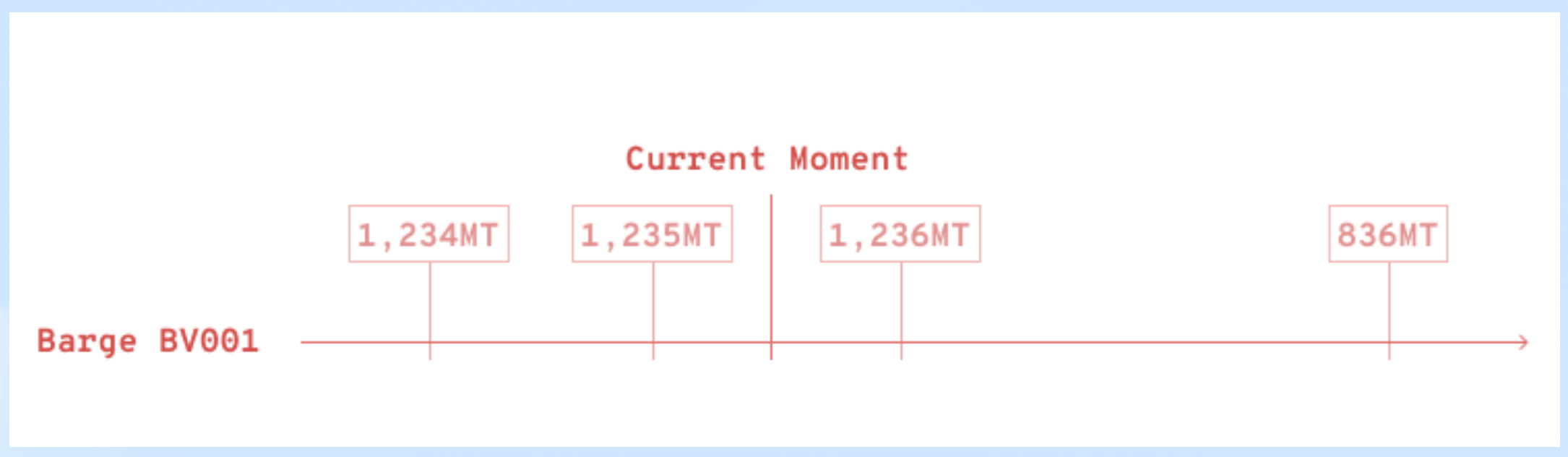
Before: Each time the user manually updated a barge's ROB entry, the system logged it with a timestamp. Sometimes the entry was meant for a future event, e.g. the end of a job one day later.
All these entries were pulled into the algorithm when the user ran the AS, messing up the output.
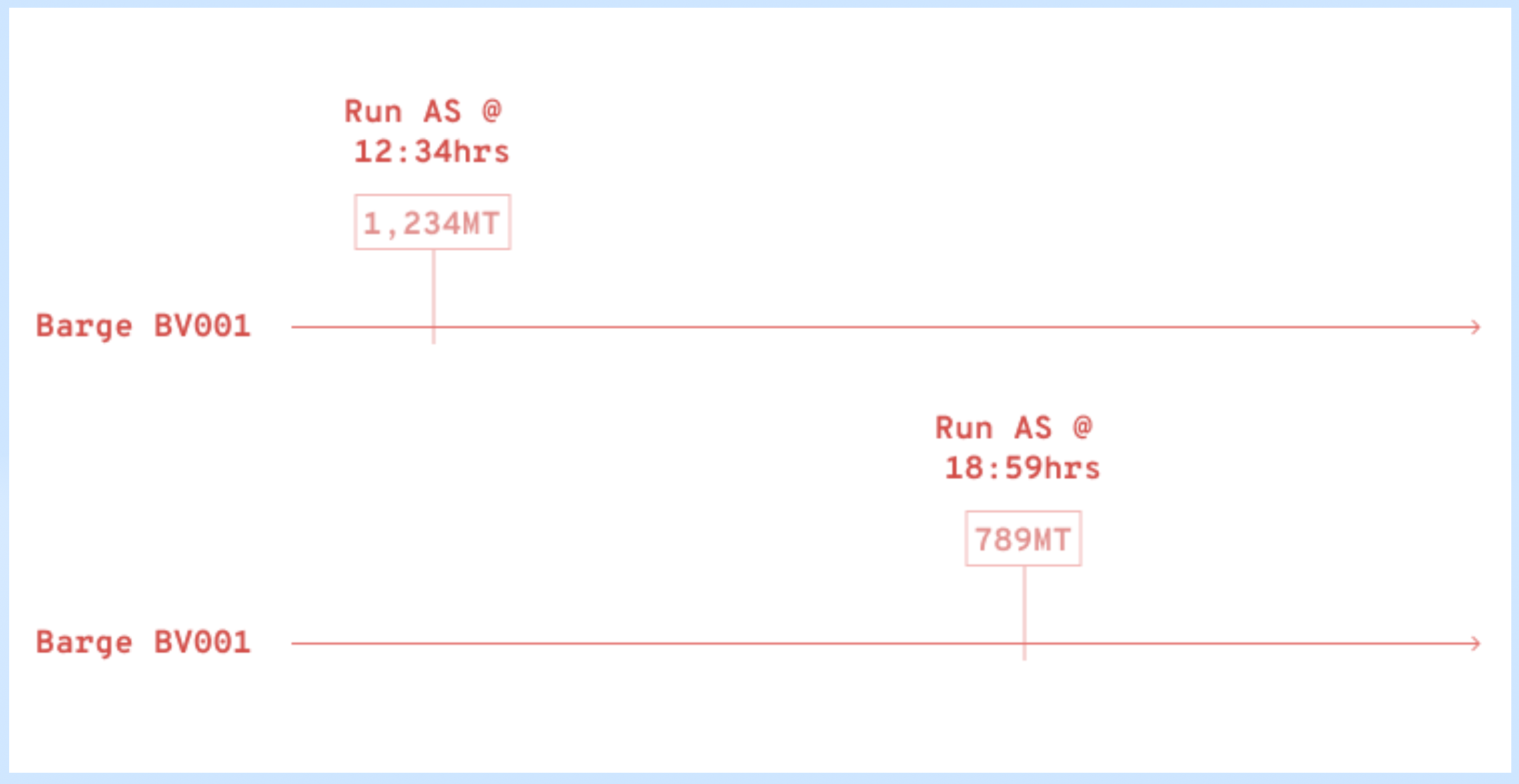
After: There was just one entry per barge at the point when the user ran the AS, and its timestamp got updated each time.
Values in between no longer mattered because those jobs were completed; ROB values were crucial only for upcoming jobs.
Here's the Real Game Changer: users no longer had to update ETAs and fill in details for those all past jobs just to run the AS — huge time savings of at least 40 mins!
2. Tackling ongoing jobs
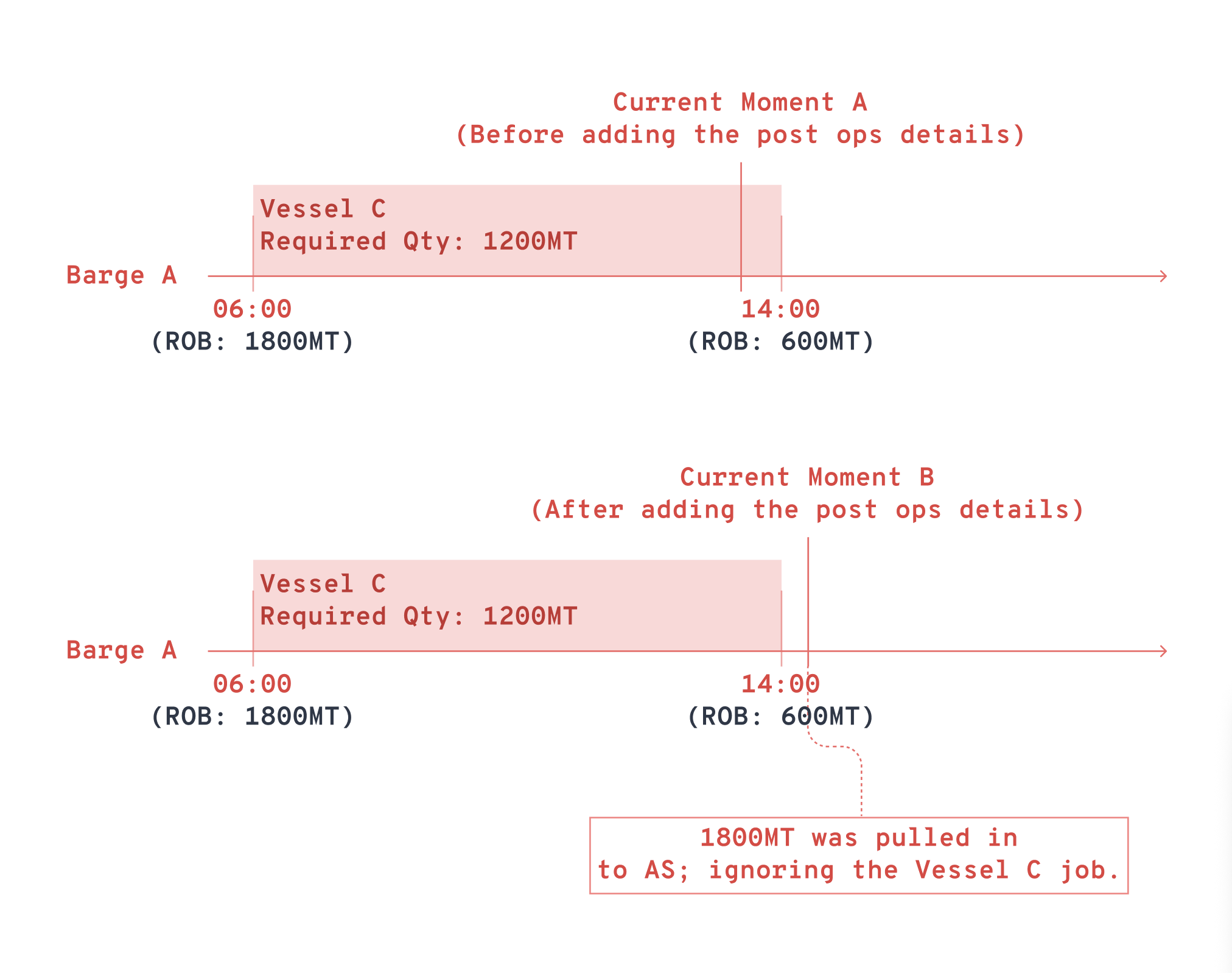
Before: Many issues stemmed from ongoing jobs: the AS would grab the pre-job ROB values but totally missed the particular ongoing job that it was meant for. This messed up the algorithm and generated incorrect output.
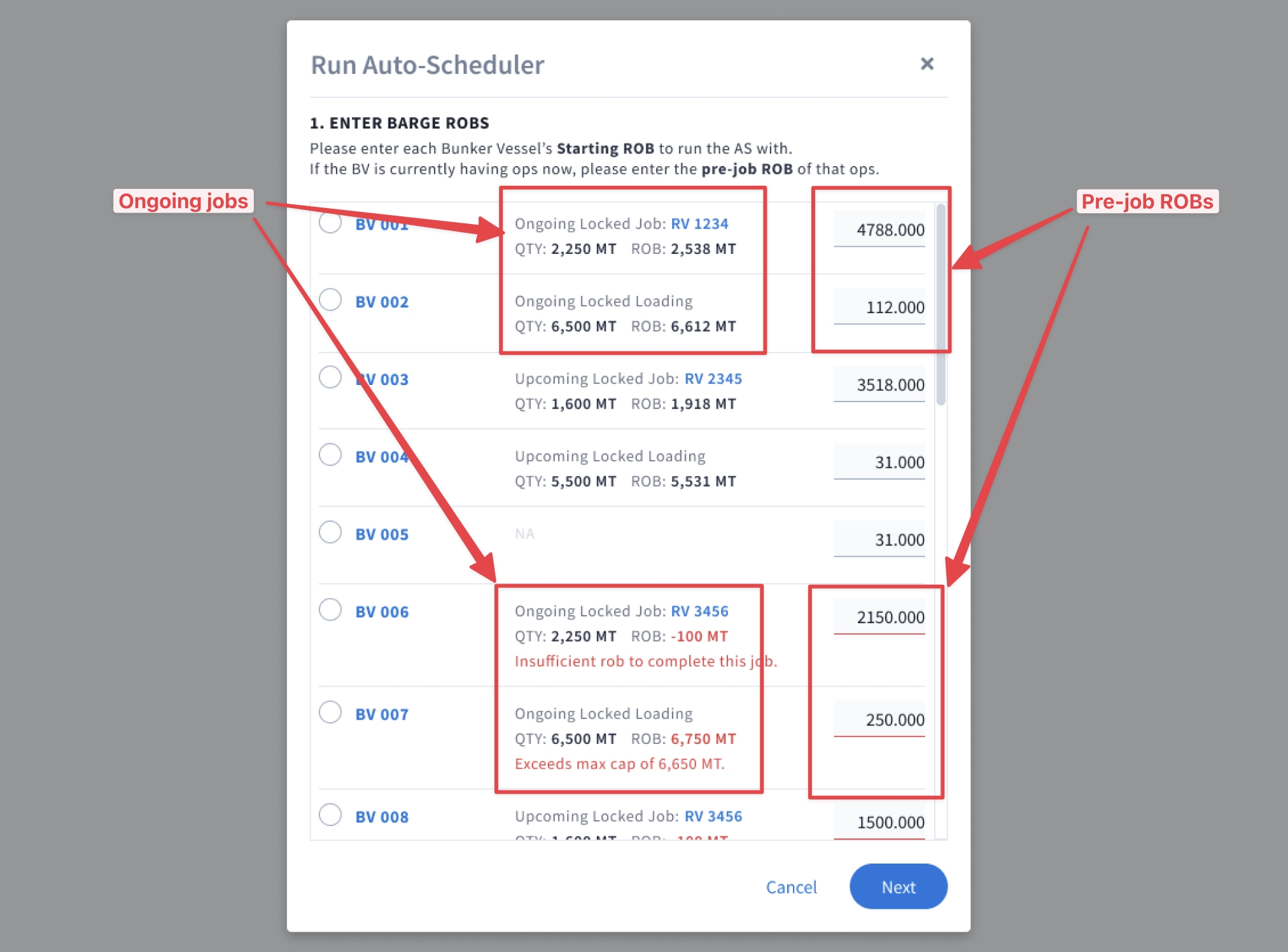
After: We had users supply the pre-job ROB values of ongoing jobs. They didn't even need to enter the timestamp — the system grabbed the vessel's ETA timing automatically.
Why not use the post-job ROB value? Because it required a future timestamp, which would mess up the algorithm and generate errors.
3. "Freeze" the AS output
Before: When a user applied the AS output that was generated 4 hours ago, the system started applying the data to upcoming jobs from the point of application. The whole schedule became a mess.
After: Regardless of the delay between when the AS was run and applied, the system would always apply the output to the schedule from the time it was run, not the time it was applied. It was as though the schedule and output were frozen in time.
4. Surface errors pre-run
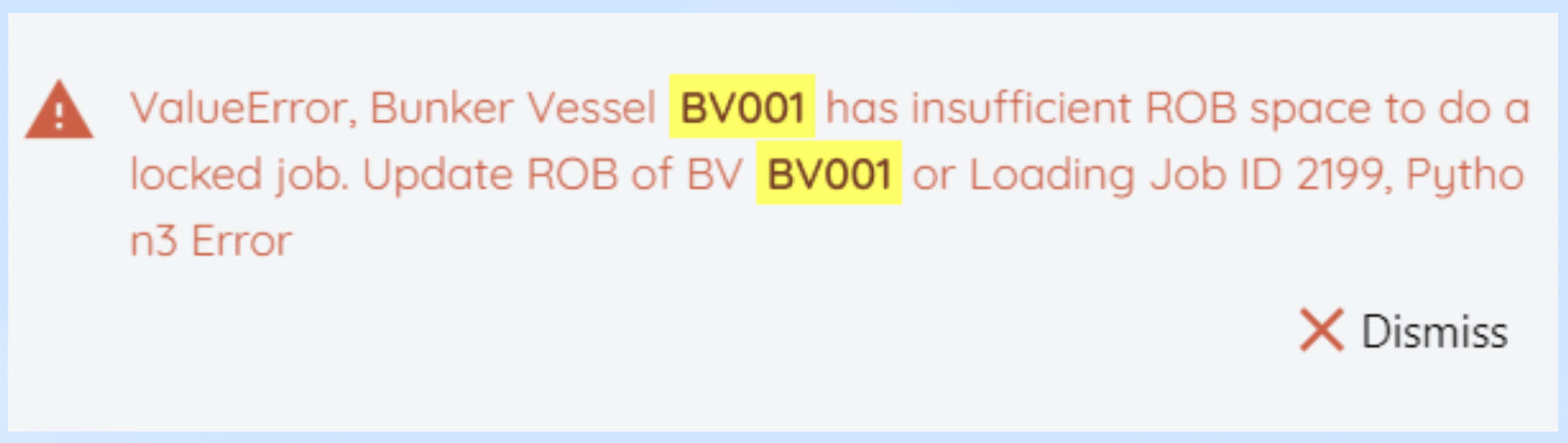
Before: Errors were highlighted only after the AS started processing and discovered them. By then, 20–30 minutes was already wasted.
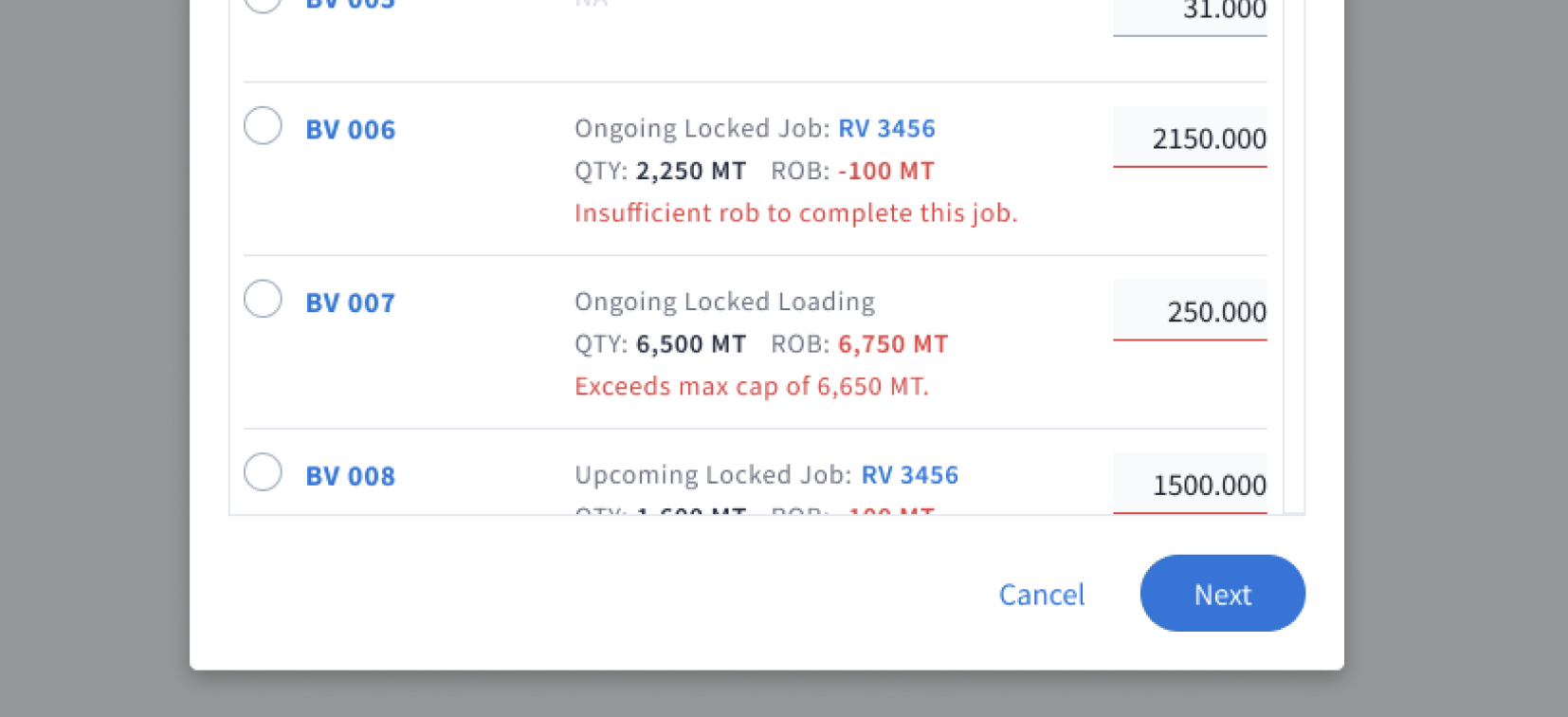
After: The system would check and validate all ROBs before the AS run for things like having insufficient ROBs or exceeding max capacity. Catching errors upfront meant another time savings for users.
Moment of Truth
After weeks of testing and bug fixing, we pushed to production. I sent the client a Loom video and PowerPoint presentation of the new procedure. Then we waited.
The email came eventually. They were very pleased with how the new procedure allowed them to generate output so much faster — and more importantly, without errors.
Our hypothesis worked and our efforts finally paid off! As a result of the redesign, users could get an output in about 40 minutes — a savings of 63% from the 120 minutes it previously took.
On top of that, a few other logos started expressing interest in our software, including Shell and Wilhelmsen Ship Management. We eventually worked with Wilhelmsen on the Agency module of BunkerMaestro, which includes other operations like underwater ops, crew change, etc.
Reflection
In order to locate the source of the problem
We need to trace back to every step of the AS workflow, questioning each of them using first principles. This is what led us to the core hypothesis about ROB values and how they should flow through the system.
When fixes create more bugs
It's time for a major overhaul. Band-aid patches to the time-travel ROB problem kept failing and introducing new edge cases. It was a signal that the entire approach needed rethinking.
I don't have the solution — I only have a hypothesis
Once that hypothesis is proved, everything else tested builds on that foundation. Validation is key. We validated our ROB hypothesis and then built the four solutions around it.
Start with small, manageable steps
Breaking the project into small chunks meant we could test each piece incrementally without risking the entire system. Each test built up to the next until the entire redesign was complete.
Help the team see the big picture
Getting buy-in from Monika, Pindar, and Timothy was crucial. Showing them the user impact and the positive outcome they'd enable kept everyone aligned and motivated throughout the project.